Manage Your Finances
Stay on top of your money by managing card payments, viewing statements, and reviewing transactions — all in one place.
Have a card with us already?
Have a finance with us already?
Digital banking
Other ways of banking
Useful links
About Priority Banking
Our Banking Solutions
Wealth Solutions
Digital banking
Bespoke solutions
Useful Links
Insights
Start & Grow Your Business
Running Your Business
For Established Business
Our Financing Solutions
Cash & Payment Solutions
Our FX & Trade Services
Emarati Business Banking
About Corporate Banking

Tap to take charge of your banking. Smarter than Ever!


The EI + App brings over 200 digital banking tools right to your phone. Whether it’s checking your balance, sending money locally or abroad, tracking spend patterns, or managing cards — everything you need is just a tap away.

Send money locally or internationally in seconds, add beneficiaries instantly, pay bills fast, and withdraw cash card-free from ATMs.

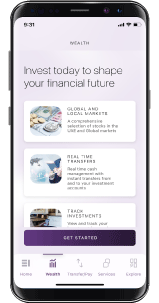
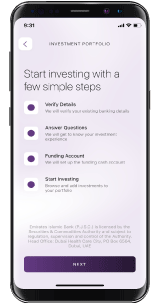
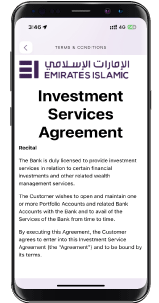
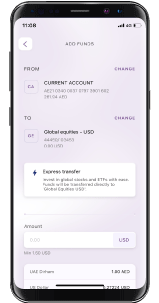
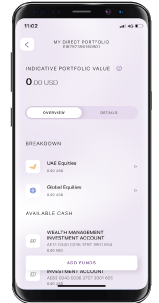
Open and fund Shariah-compliant investments and trade local and global stocks — all directly within the EI + app.
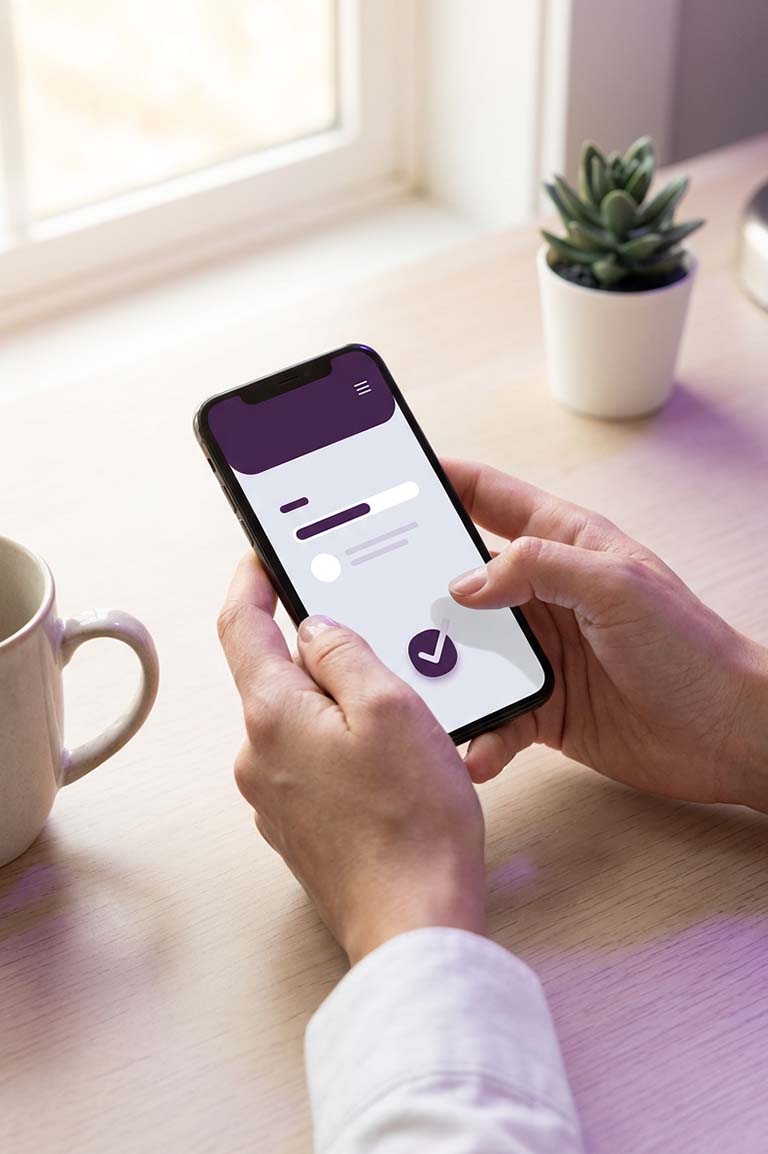
Transfer money instantly, 24/7, using just a UAE mobile number — no IBAN required.







A complete wealth management experience combining Shariah-compliant investment opportunities, expert insights, and convenient digital access.
If you have any questions, feedback, or need assistance transitioning to EI +, our team is here to help. Reach out to us anytime at apps@emiratesislamic.ae
The reimagined EI + Mobile Banking App is designed to simplify your everyday banking, bringing together powerful features that help you do more — quickly, securely, and effortlessly.

Stay on top of your money by managing card payments, viewing statements, and reviewing transactions — all in one place.

Access additional funds when you need them. Apply easily for services such as Cash on Call, Easy Payment Plans, Cash Advance, or Balance Conversion directly through the app.

Discover your personalised rewards and enjoy benefits instantly, whenever you choose.
Request replacement or supplementary cards quickly and easily, without visiting a branch.
Easily update your mobile number, email, and address directly in the app — no branch visit required.
Set up security preferences for a safe and convenient banking experience.
Control your daily and transaction limits to manage your finances with confidence.
Choose how and when you want to receive updates, notifications, and alerts from the bank.
Click here to find more videos.

A new level of digital banking security with SmartPass
Authenticate your transactions wherever you are without the need to enter an OTP code. SmartPass is a secure replacement of SMS authentication.
Secure Smart ID and Face ID
You can enable Smart ID/Face ID for SmartPass and authorise transactions with your fingerprint or Face ID.
EI SmartPass
Soon all your Online/Mobile Banking transactions and services will be authenticated only via SmartPass, a safer and convenient way to conduct online/mobile banking transactions using a 4-digit PIN of your choice. You will stop receiving SMS to authenticate your transactions. Please make sure that your email address is updated to activate your Smart Pass. Click here to know more.
Secure Smart ID and Face ID AuthenticationYou can enable Smart ID/Face ID for Login and transaction approvals. Increase security with your fingerprint or Face ID authentication. Turn on App notifications to receive notices for transaction approvals.
Once you have successfully registered to Mobile Banking, you will have access to over 75 banking services, including fund transfers, account balance enquiry, bill payments and much more.
Register easily to EI + following the simple steps below
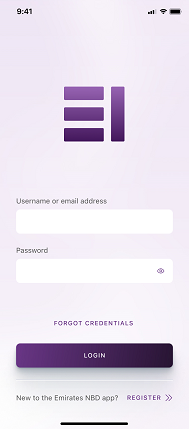
Open the EI + App and click on Register
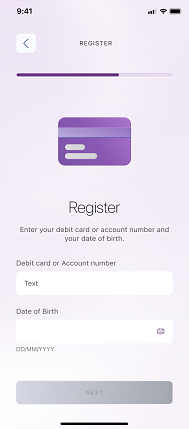
Enter your Account /Credit Card/Debit Card number and your Date of Birth
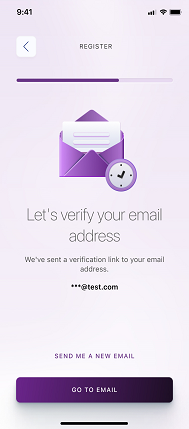
Without closing your app, go to your EI registered email, and verify the link
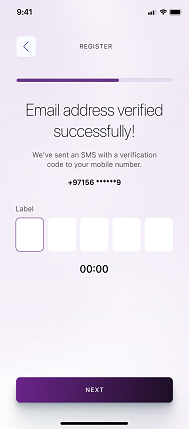
Enter the verification code sent to your registered mobile number via SMS
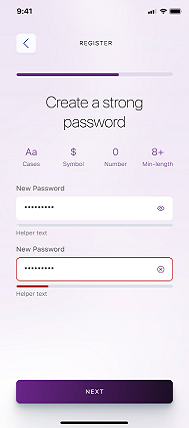
Create a password with more than 8 characters in length and including at least one upper and lower case alphabet, one symbol and one number
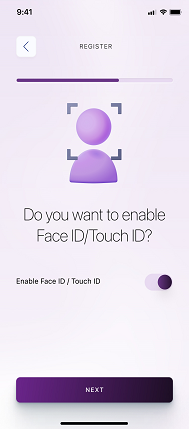
Click on Enable Face ID / Touch ID if you wish to activate this feature and click next
Set your SmartPass PIN by entering a 4-digit security code which will allow you to authorize transactions
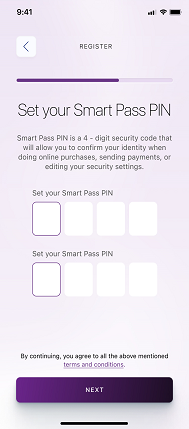
Congratulations! You have successfully registered to EI +!
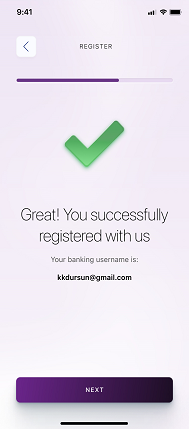
Please note that your Mobile App username is your registered email address.
For more information, please email us on apps@emiratesislamic.ae
Steps to send funds:
Step 1 – Go to Payments and Transfers
Step 2 – Select International Transfer and country
Step 3 – Complete the details and send
For successfully sending funds through QuickRemit, please ensure the below:
Amount does not exceed 5 million INR or 500,000 PKR
Your address details are complete and updated
Beneficiary details are complete and updated
Yes, you need to reactivate Smart Pass on EI +.
You can register your EI + profile with either your Account, Debit or Credit Card number. Choose the most convenient option.
Yes, you can log in with your current biometrics.
Yes, you don’t need to add your beneficiaries again.
You will automatically be routed to the new Online Banking page from the old page.
Yes, you will be able to view transactions up to 3 months old and download statements up to 2 years ago.